Skip to content

Debug Dashboard

The Dashboard provides a visual interface to inspect your running application. It allows you to:

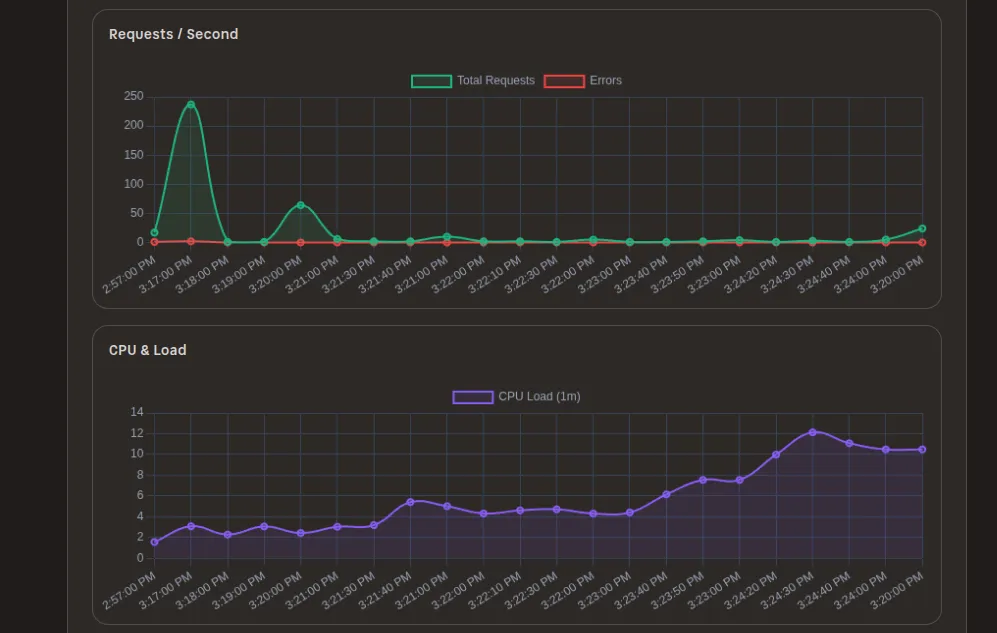
  • View real-time metrics (requests/sec, errors, latency).
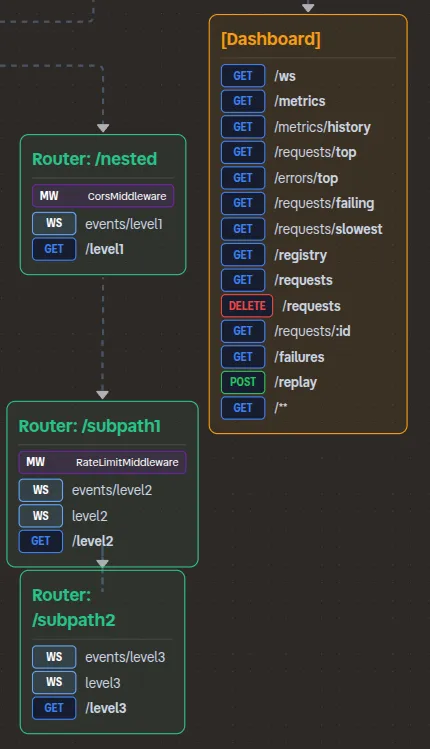
  • Visualize the endpoint layout and request flow.
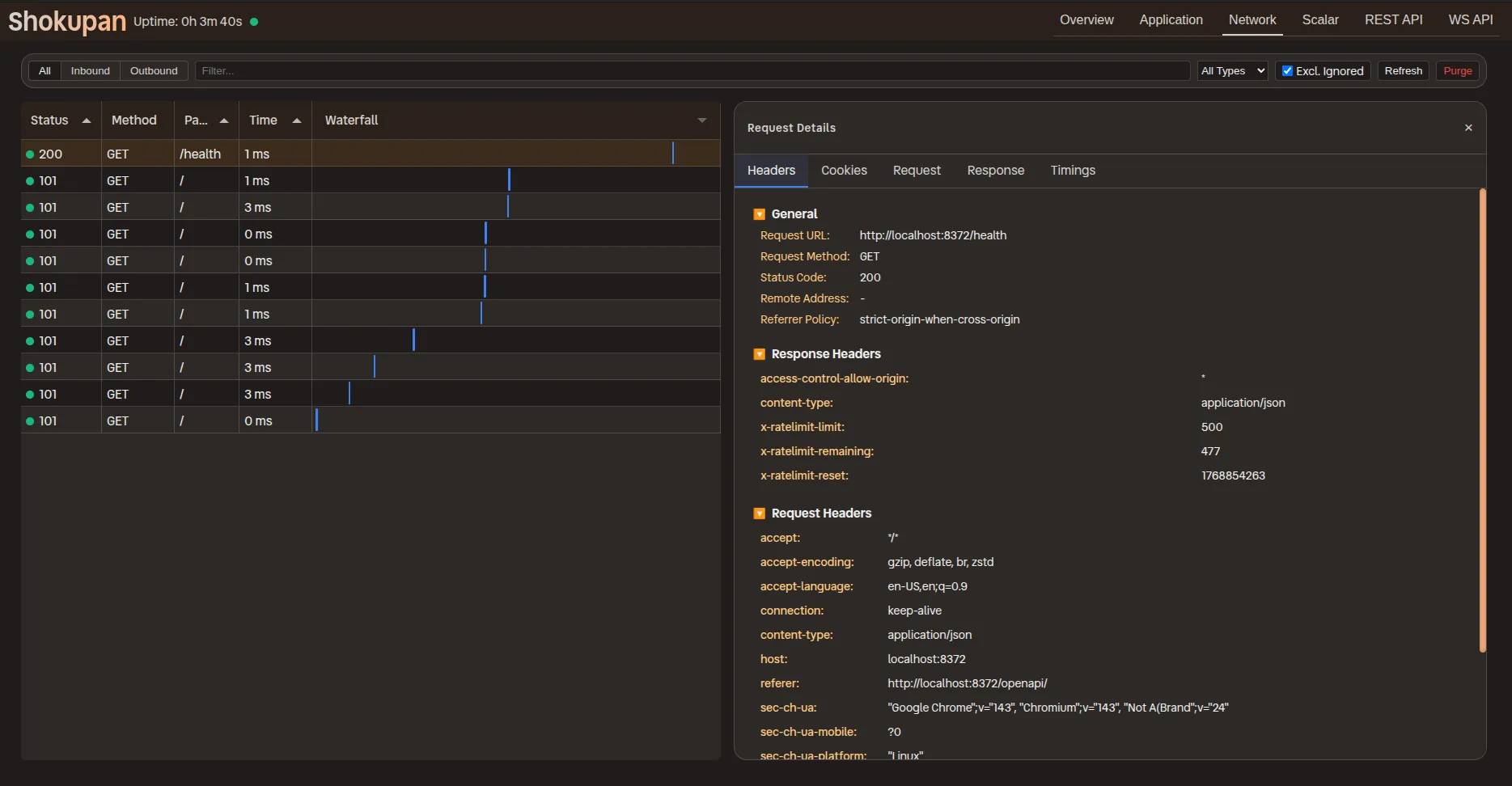
  • Debug requests with Chrome DevTools inspired interface.
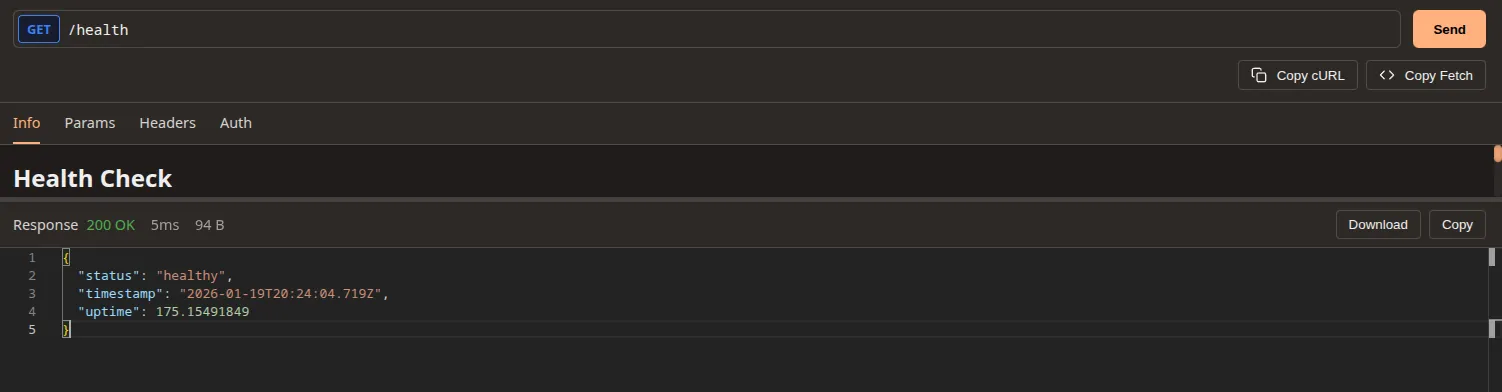
  • Directly test HTTP APIs with custom REST API explorer.
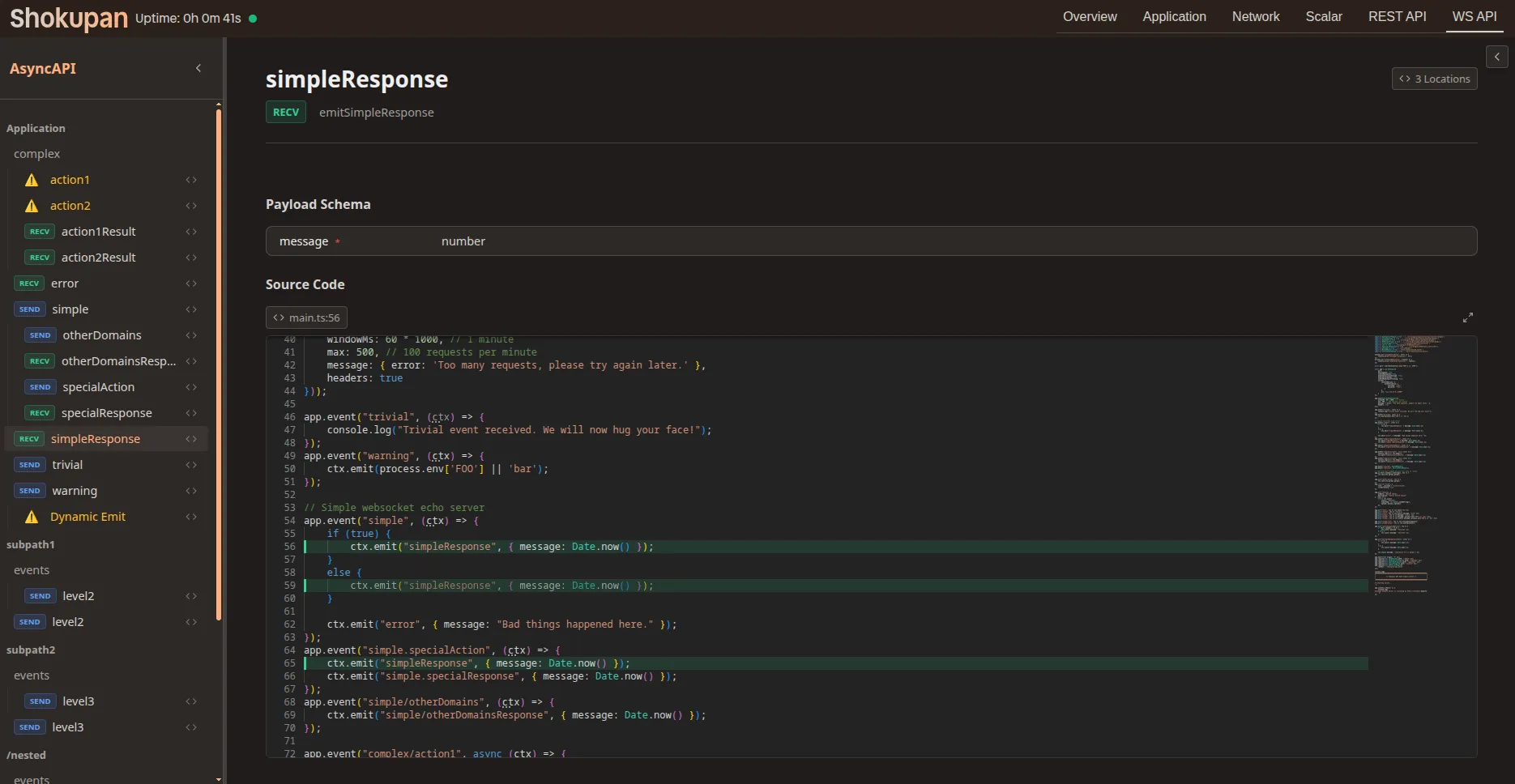
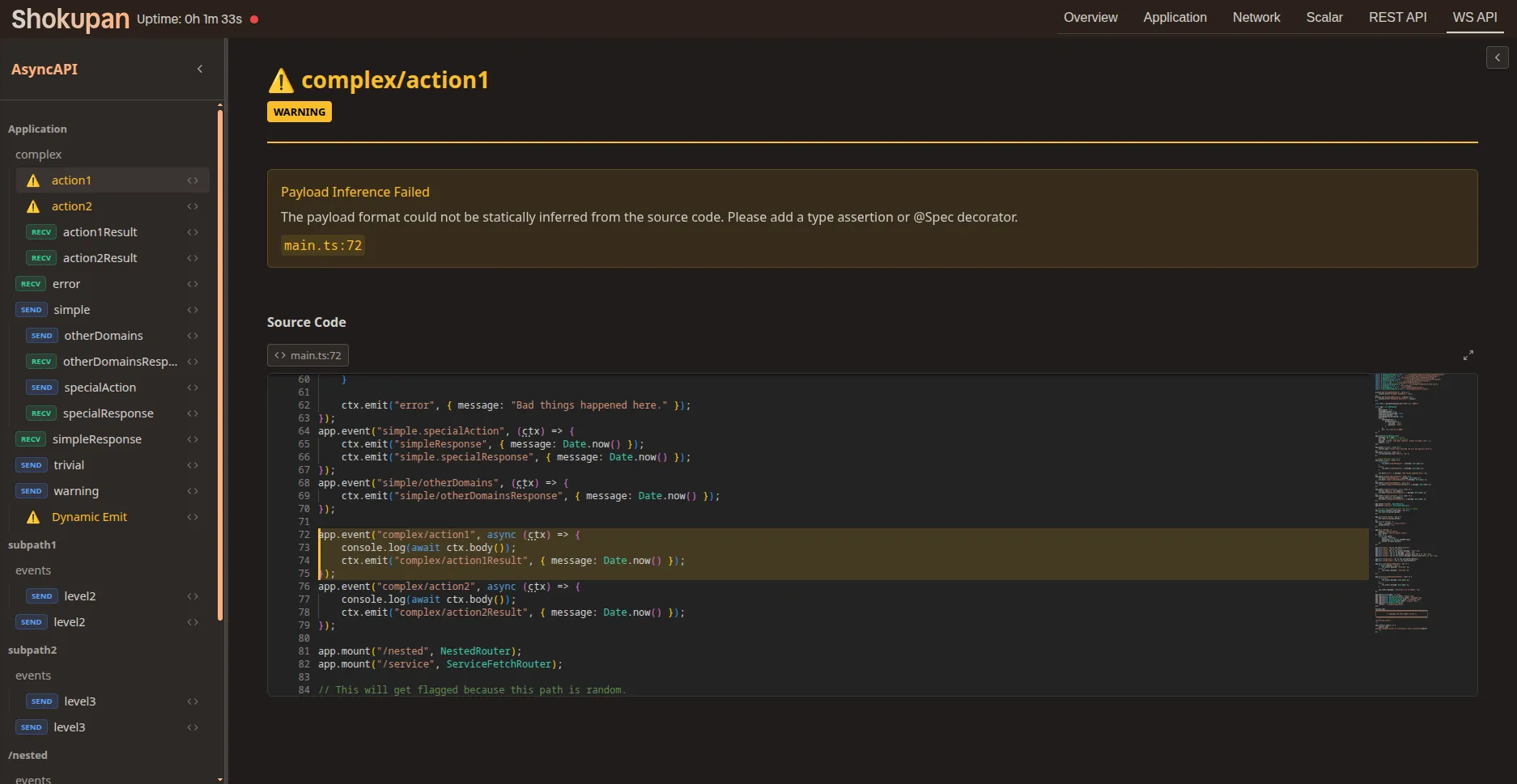
  • Directly test WebSocket APIs with custom WebSocket explorer.

Shokupan includes a built-in Dashboard plugin:

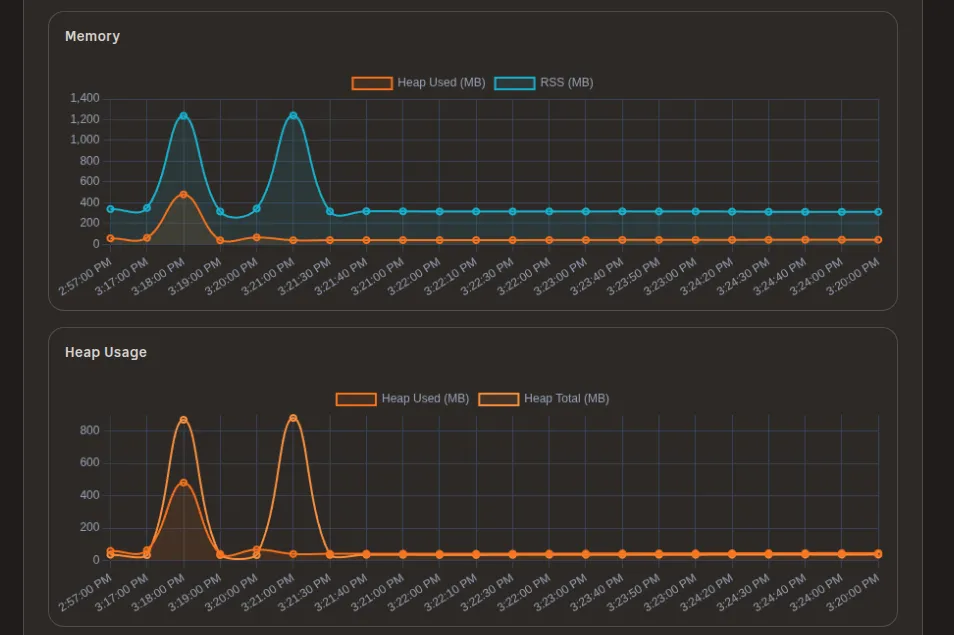
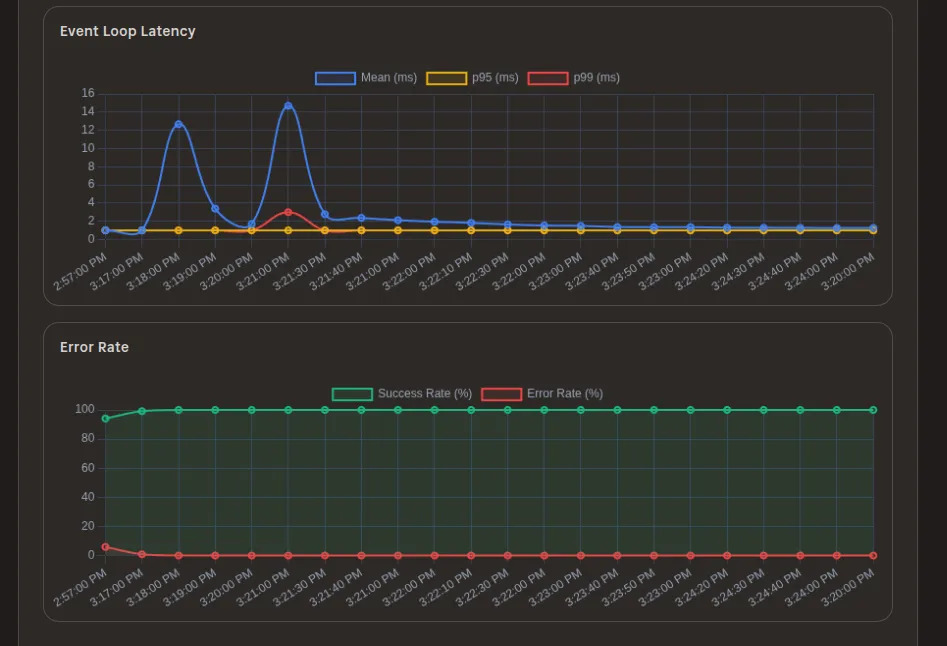
Showing Requests/Second and CPU Usage Screenshot showing requests per second and CPU usage Showing Memory and Heap usage Screenshot showing memory and heap usage Showing Event loop latency and Error rate Screenshot showing event loop latency and error rate

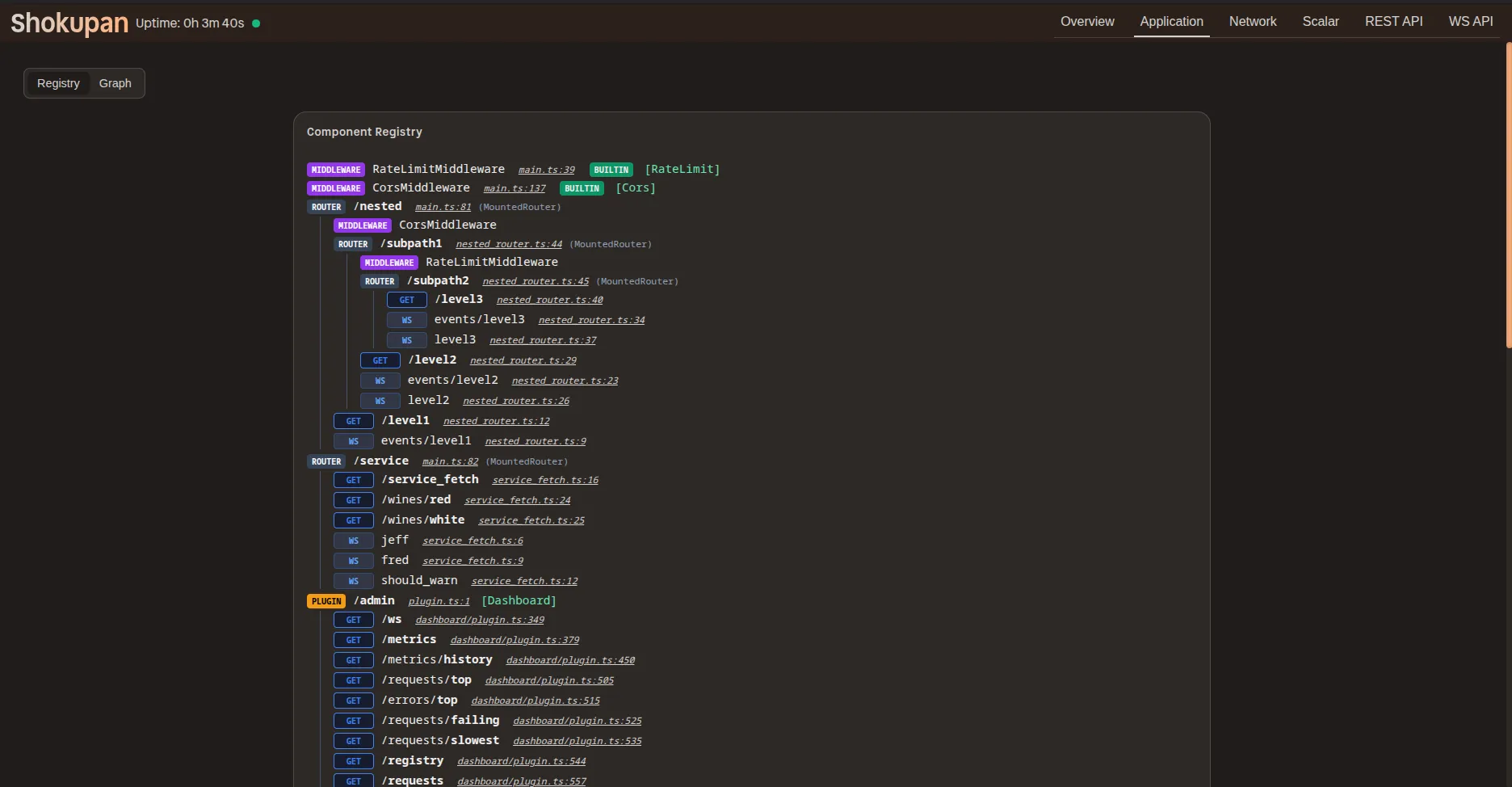
Application registry — a tree view of your application’s structure and registered routes. Screenshot showing application registry

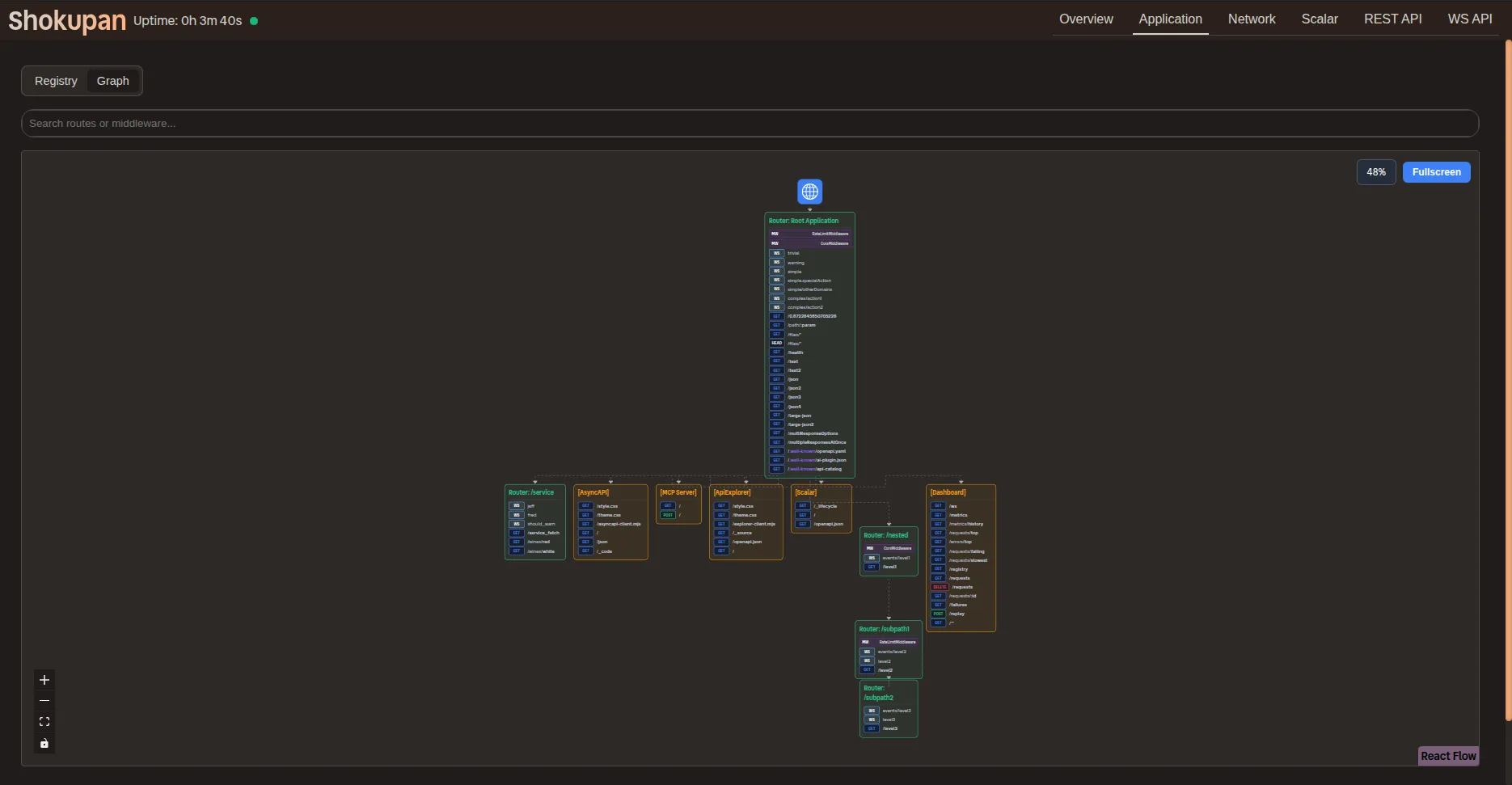
Application graph — a 2D graph view of your application’s structure and registered routes. Screenshot showing application graph Zoomed in view of application graph — showing node level details. Screenshot showing application graph zoomed in

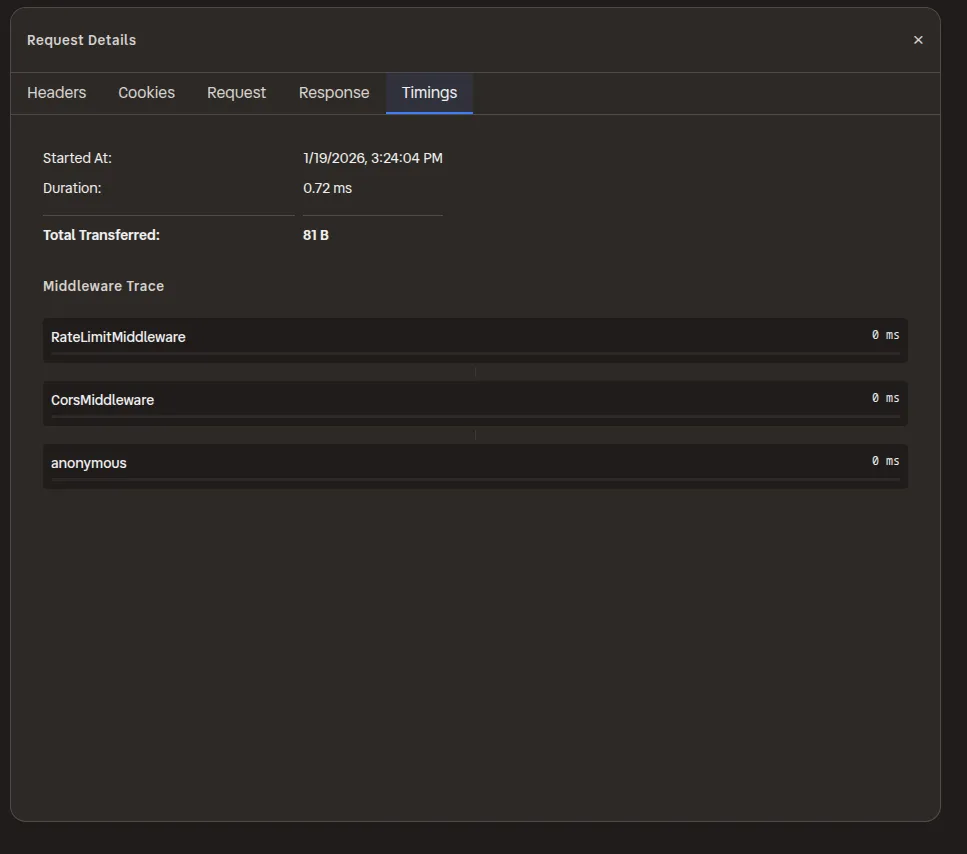
Network overview: A Chrome DevTools inspired interface for inspecting network requests. Screenshot showing network overview Timings: Inspired by Chrome DevTools, Shokupan records middleware timings provides a clear breakdown. Screenshot showing network timings

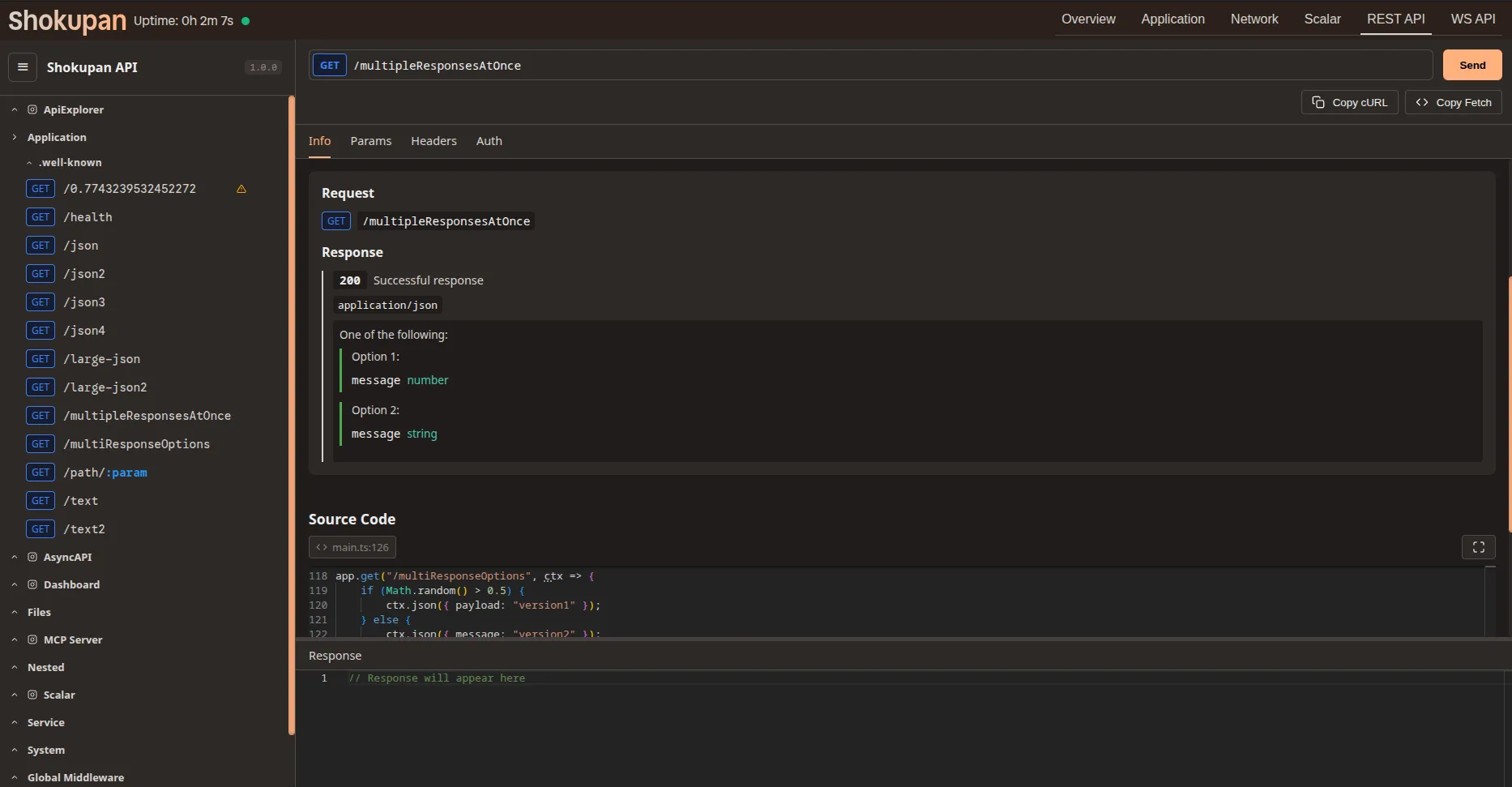
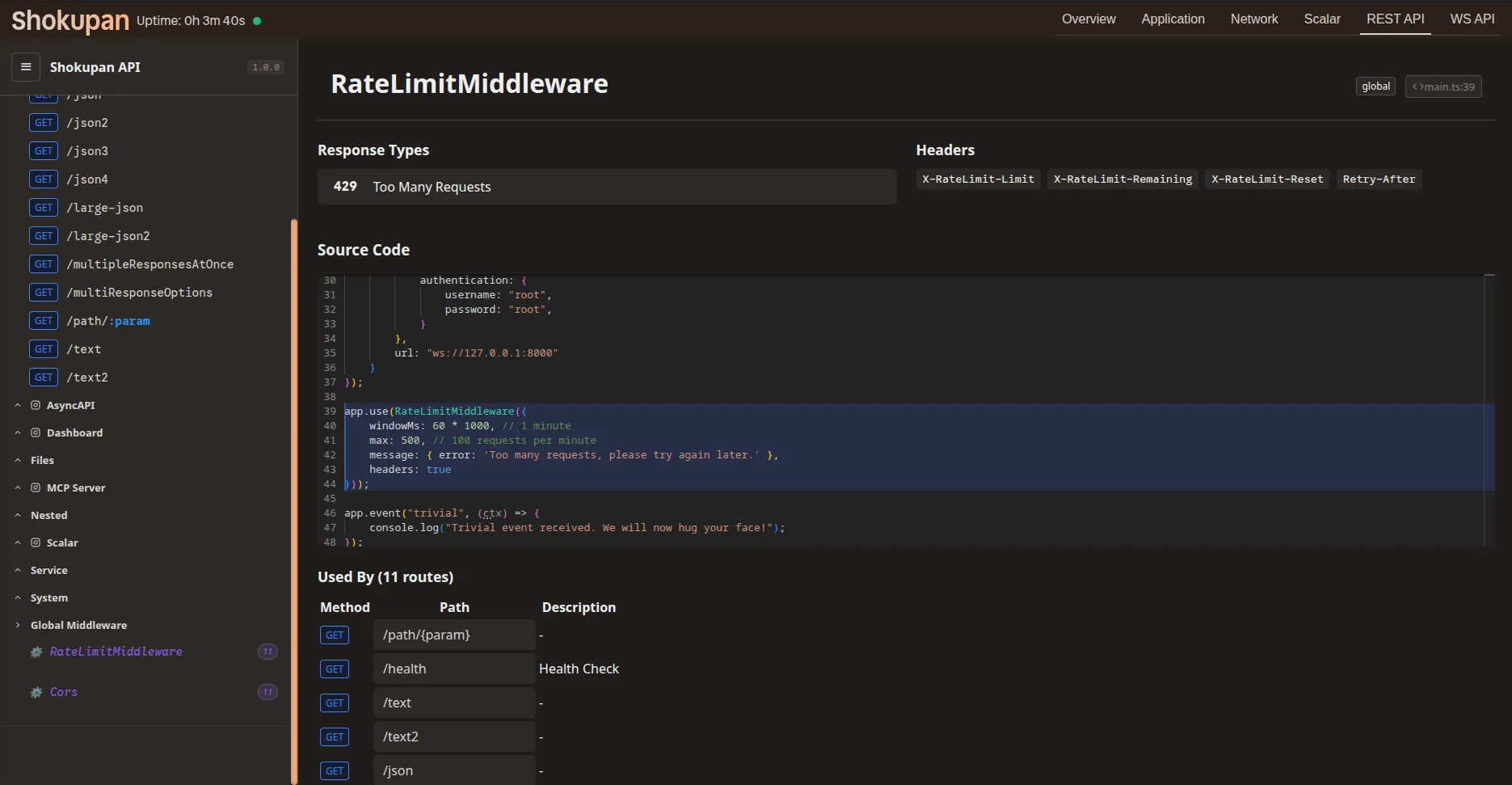
API Explorer: A Scalar inspired interface for inspecting and testing REST APIs. It has specialized support in order to present warnings where metadata could not be statically determined. Screenshot showing API explorer Multi-response: Shokupan can document multiple responses formats for a single request. Screenshot showing API explorer multi-response Middleware: Documentation for which endpoints a middleware applies to, as well as the configuration and side-effects of the middleware. Screenshot showing API explorer middleware WS Explorer: A Hoppscotch inspired interface for inspecting and testing WebSocket APIs. Screenshot showing WebSocket explorer Screenshot showing WebSocket explorer

import { Dashboard } from 'shokupan';
// Mount the dashboard at a path of your choice
app.mount('/debug', new Dashboard({
retentionMs: 7200000 // Keep logs for 2 hours
}));

Defined in: src/plugins/application/dashboard/plugin.ts:67

Property Type Description Defined in

disableReplay?

boolean

If true, the replay endpoint will be disabled.

src/plugins/application/dashboard/plugin.ts:78

getRequestHeaders?

() => HeadersInit

src/plugins/application/dashboard/plugin.ts:68

ignoreMethods?

string[]

Array of HTTP methods to not record (e.g. [‘OPTIONS’, ‘HEAD’])

src/plugins/application/dashboard/plugin.ts:86

ignorePatterns?

(string | RegExp | (req) => boolean)[]

patterns to ignore in the request list. Can be a glob pattern (string), regex, or a custom callback function.

src/plugins/application/dashboard/plugin.ts:74

ignoreStatusCodes?

number[]

Array of status codes to not record.

src/plugins/application/dashboard/plugin.ts:82

integrations?

object

src/plugins/application/dashboard/plugin.ts:91

integrations.apiExplorer?

boolean | { path?: string; }

src/plugins/application/dashboard/plugin.ts:94

integrations.asyncapi?

boolean | { path?: string; }

src/plugins/application/dashboard/plugin.ts:93

integrations.scalar?

boolean | { path?: string; }

src/plugins/application/dashboard/plugin.ts:92

maxLogEntries?

number

Maximum number of request logs to keep in memory.

Default

1000

src/plugins/application/dashboard/plugin.ts:112

path?

string

src/plugins/application/dashboard/plugin.ts:69

retentionMs?

number

Retention time in milliseconds

src/plugins/application/dashboard/plugin.ts:90

trackStateMutations?

boolean

Track and display state mutations made by middleware. Requires enableMiddlewareTracking to be enabled on the application. When enabled, the dashboard will show what properties each middleware added/modified on ctx.state.

Default

true (if enableMiddlewareTracking is enabled)

src/plugins/application/dashboard/plugin.ts:119

updateInterval?

number

Interval in milliseconds for pushing batched updates.

Default

10_000

src/plugins/application/dashboard/plugin.ts:107

updateStrategy?

"immediate" | "batched"

Strategy for pushing request updates to the dashboard. ‘immediate’ - pushes every request as soon as it completes. ‘batched’ - buffers requests and pushes them at the interval specified by updateInterval.
Default

'immediate'

src/plugins/application/dashboard/plugin.ts:102

Visualizes the structure of your application, showing how routers, controllers, and middleware are connected.

Middleware Graph

Inspect all registered routes and controllers in a flat or hierarchical view.

Component Registry

Analyze incoming requests, their duration, and the time spent in each middleware.

Requests View

Lists requests that resulted in errors. You can click on a failure to see details and replay it.

Replaying a request sends the identical request payload to the server again, which is useful for debugging idempotent operations or testing fixes.